
How to Request, Cancel and Reschedule an Inspection
Requesting a New Inspection on PermitSLO
You can request a new inspection, but you cannot reschedule it. You have to cancel the original requested inspection and then schedule it like you would schedule a new inspection.
Use the Department of Planning and Building’s PermitSLO portal to request a building inspection online. See the steps below.
Log into PermitSLO with your registered account email.
Search the Permit case number and select to open it.
In the center of the page find the tab for "Inspections" and when you click it, the available inspections list will appear below. Review the descriptions and select the appropriate Inspection type by checking the box next to it under Action. Then click "Request Inspection". See screenshot below:

4. Complete the next window with the contact information and select the Requested Date by clicking the calendar icon and the date - make sure to include AM or PM in the dropdown and then any comments about the location, such as directions or gate codes. Then click Submit.

5. A confirmation page will display a green checkmark that the request has been submitted. See the screenshot below:

Changing Existing Inspection Requests on PermitSLO/Canceling an Inspection
If an inspection has been requested, but not scheduled yet, then it can be cancelled and requested for a different day/time. These are the steps to cancel and then reschedule an inspection request:
Follow steps 1-4 above. Under the Inspections Tab, find the inspection requested and click the "Cancel Inspection" to cancel it.
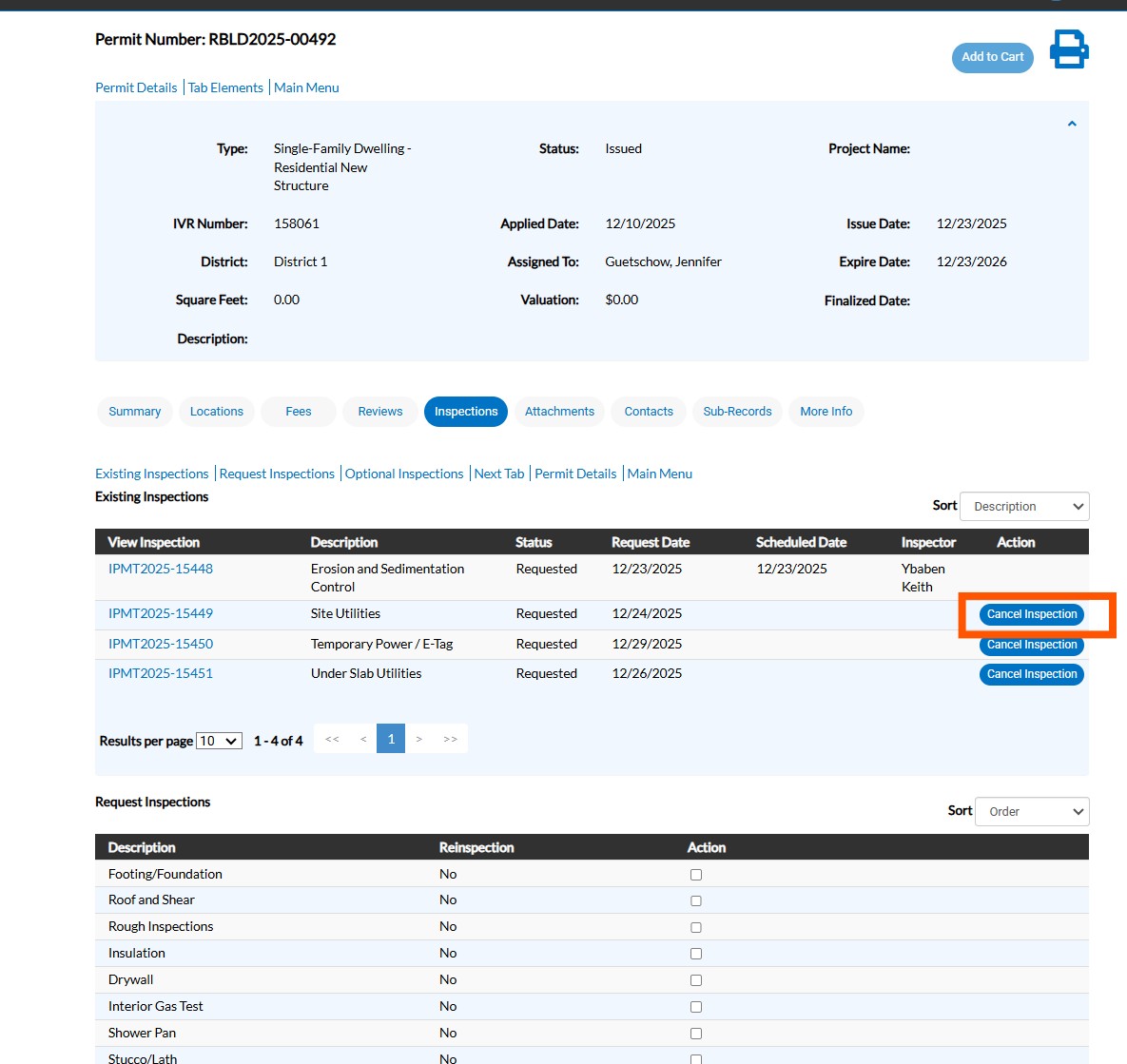
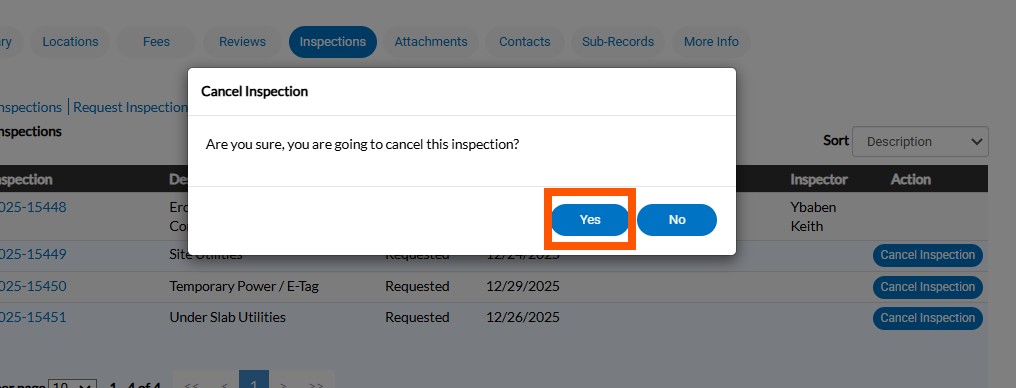
Then click Yes when a window pops up for confirmation:
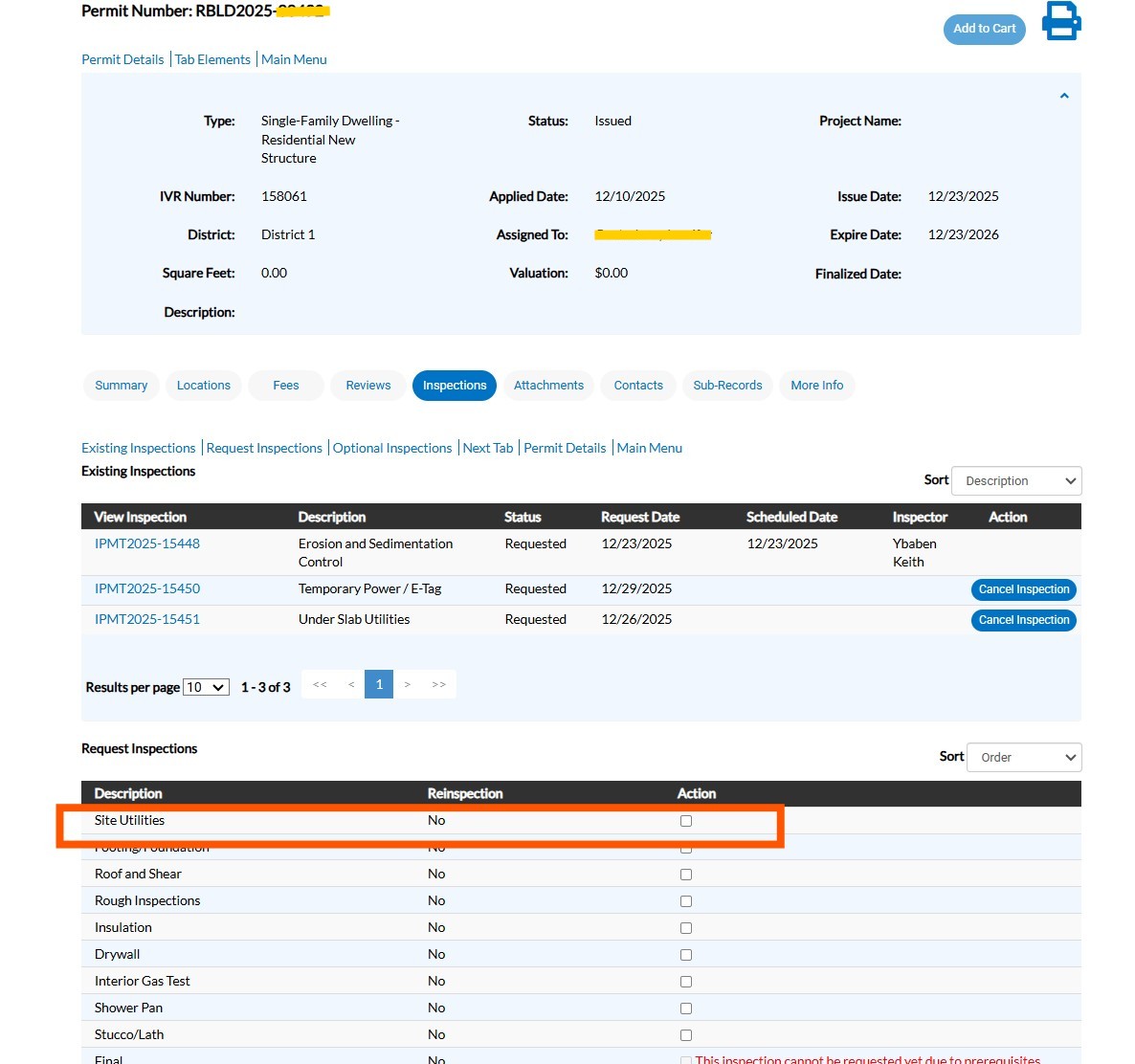
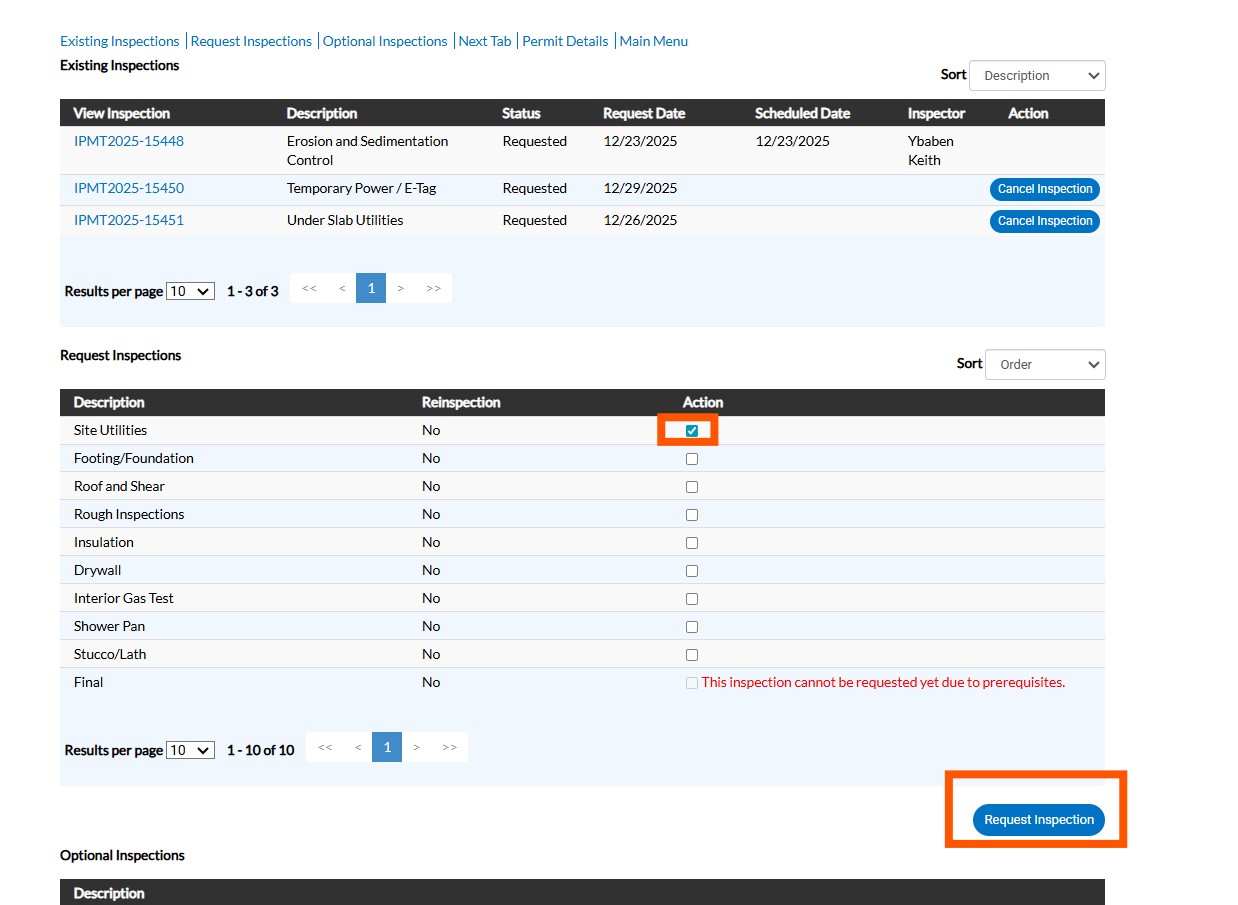
Notice under Request Inspections that the inspection returns to the list of Inspections that are available to be requested. You will click the Action Button and then Request Inspections. Then follow steps above to Request an Inspection.
Click the following link to return to the How-to PermitSLO user guide menu.