
View Files as a Contact on a Case
When you are a contact on a case (application), then you can view the files on PermitSLO when you are logged-in using that contact.
1. Log-in .
2. On the main menu click My Work or use Search and enter the case number.
3, Find your Case Number.
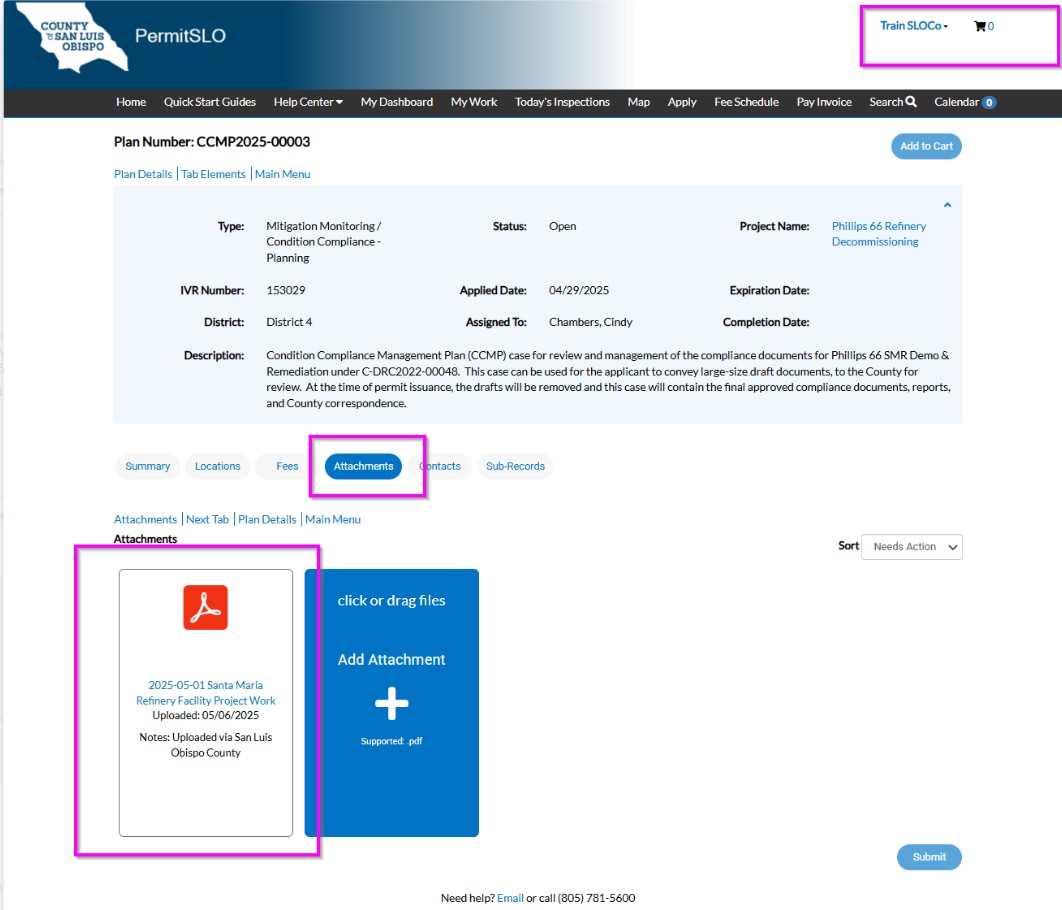
4. When a summary of the case appears, look toward the middle for a series of tabs.
5. Click the Attachments tab.
6. Find the file you wish to view and click the link to download.
Click the following link to return to the How-to PermitSLO user guide menu.