
How to Pay Multiple Invoices
Make sure you are logged into PermitSLO.
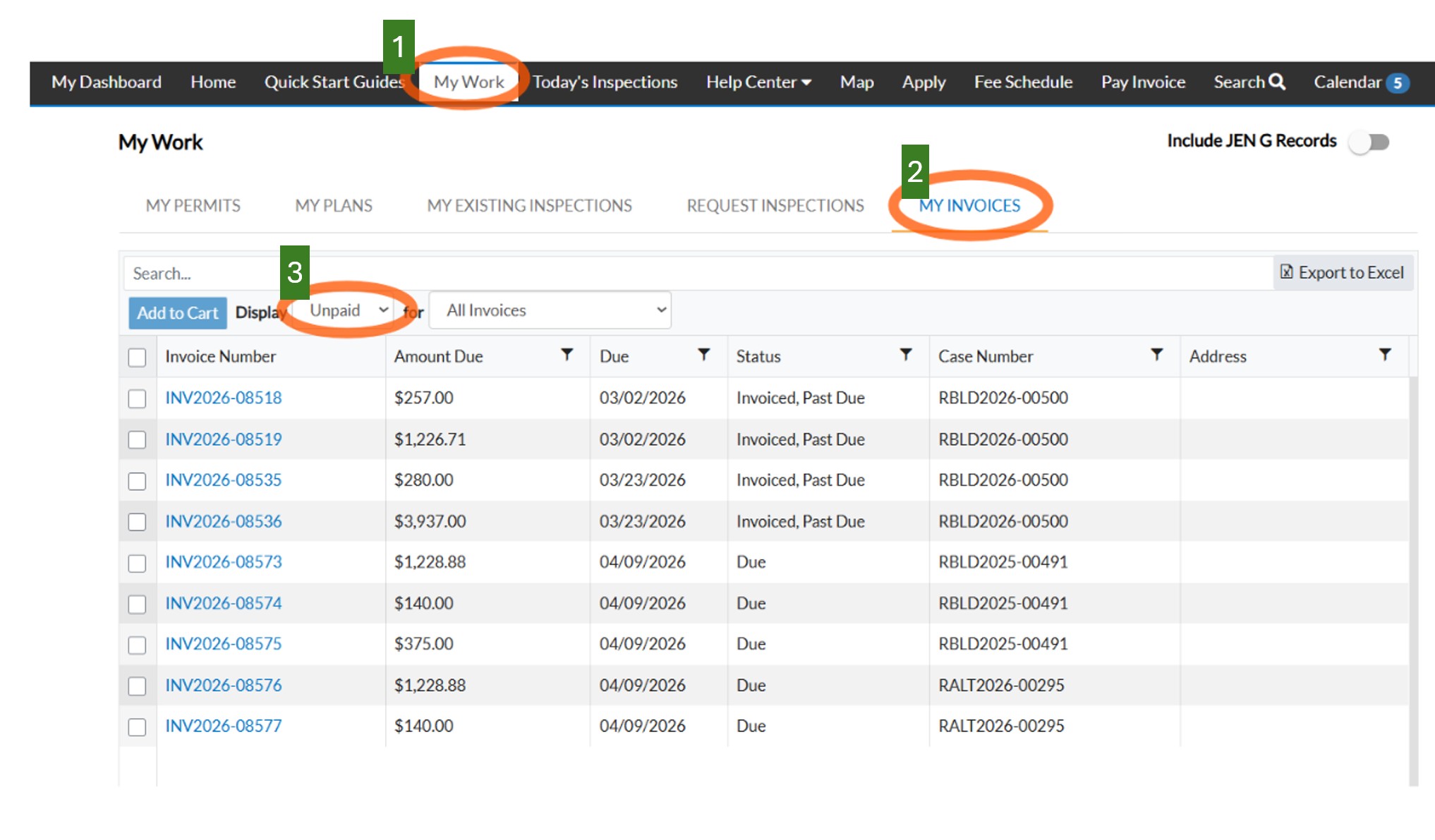
Step 1: Click My Work from the menu.
Step 2: Click the My Invoices tab
Step 4: Change Display to read "Unpaid" and all Open Invoices will appear below.
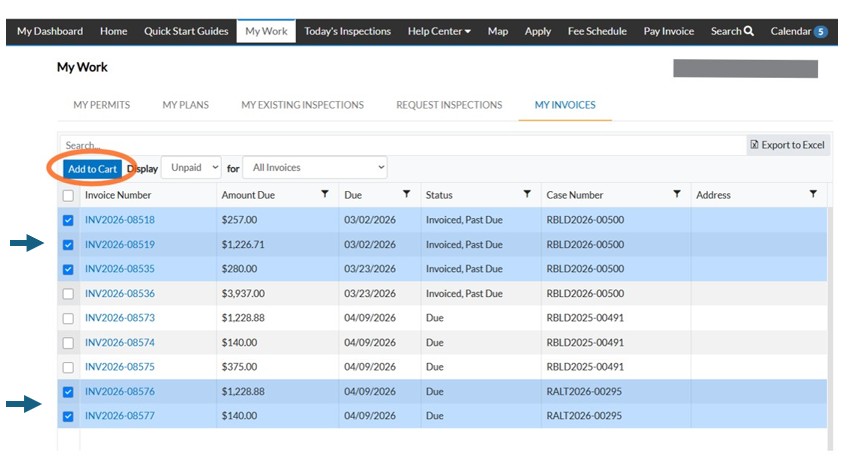
Click the square next to the Invoice (INV202X-XXXXX) to add the invoiced amounts to the cart. Multiple selections can be made.
Click "ADD TO CART" (you will be able to review the items in the cart before paying)
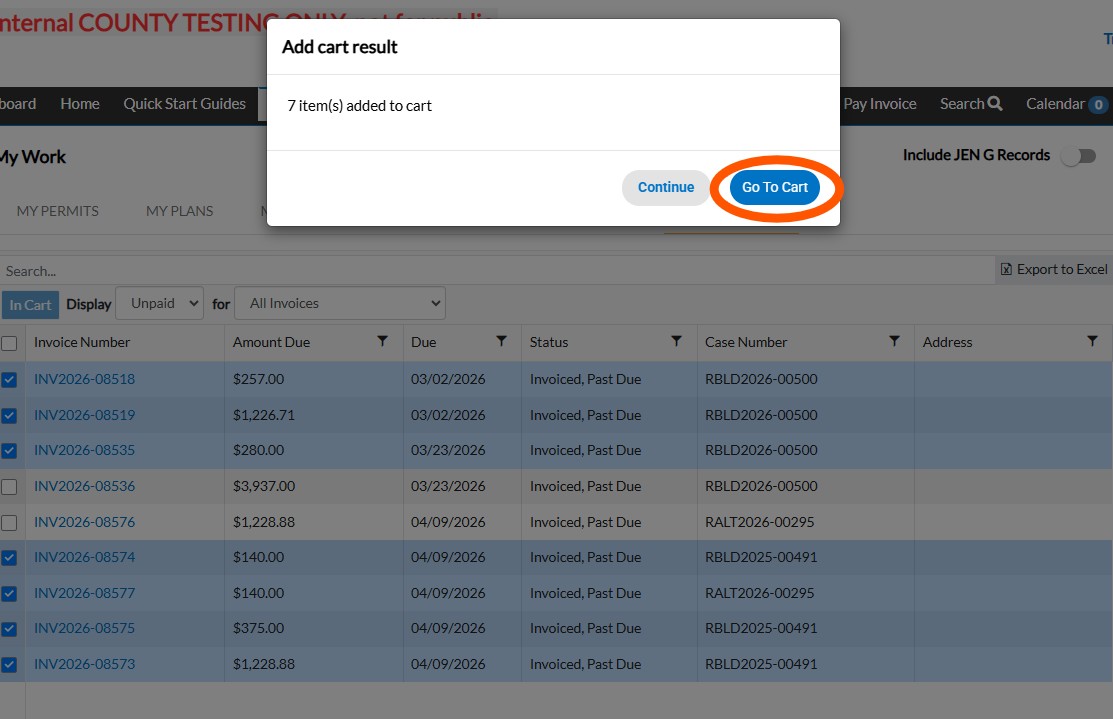
In the popup window, click "Go to Cart"
*Make sure to Review your cart items. Pay close attention to the Invoice Numbers and the Permit/Plan Number and make sure there are no duplicates.
From here you can either:
Click "View Details" to open the INV case in PermitSLO, or click "Remove" to delete and remove that fee from the subtotal in the Cart Summary.
Once you confirm the items in the cart are correct, double-check the Cart Summary and make sure that the Subtotal is the amount expected.
Click CHECK OUT and proceed to enter your payment information. For a guide with instructions about how to pay, click the following: Pay the Invoice(s).
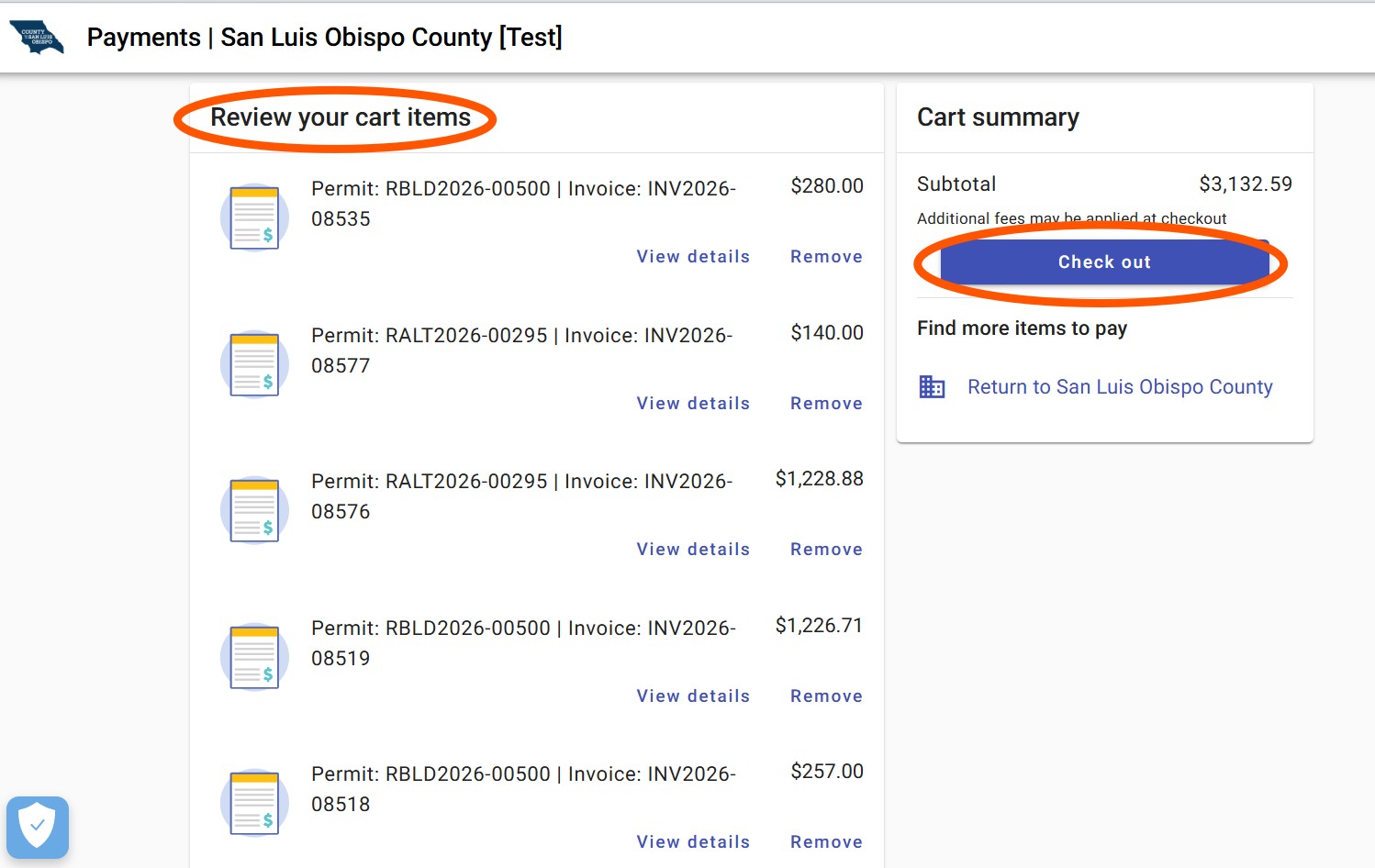
Click Return to San Luis Obispo County if you want to add any invoices to the cart before paying. You will be taken back to the My Dashboard page on PermitSLO.