Electronic Benefit Transfer (EBT)
EBT is the system used by recipients of CalFresh and cash assistance programs to purchase eligible items at participating retailers using their EBT card. EBT is used in California, as well as the other 49 states, the District of Columbia, Puerto Rico, the Virgin Islands, and Guam. California EBT cards can be used at thousands of businesses and ATMs throughout California.
PROTECT YOUR CARD FROM SKIMMERS AND SCAMMERS!
Skimmers and scammers target EBT cardholders to steal benefits from their EBT cards. Skimming and scamming most often happens the first two weeks of each month, when monthly benefits are loaded onto cards and card balances are higher.
The EBT Mobile App and Cardholder Portal give cardholders more control of their card with security features such as:
- Manage PIN: Ability to change EBT card PIN whenever and as often as needed.
- Card Freeze/Unfreeze: Ability to lock or “Freeze” access to benefits on your EBT card and unlock or “Unfreeze” access to your EBT card, in real-time.
- Transaction Blocking (Out-of-State or Internet Purchases): Ability to block transactions from occurring Out-of-State and/or Internet Purchases.
- Request a Replacement Card: Ability to request a replacement card if the card is compromised, damaged, lost, or stolen.
- Biometrics Access: EBT Cardholders are encouraged to use Touch ID or Facial Recognition to securely log in to a mobile device.
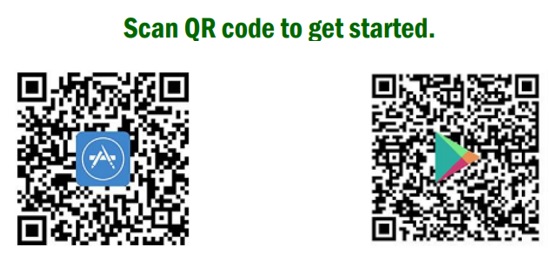
California EBT Cardholders can download the ebtEDGE Mobile App from the Apple App Store for iPhone or the Google Play Store for Android devices. Be aware of third-party mobile applications that mimic the official ebtEDGE Mobile App. These apps may charge a fee. Do not download or use these apps. To protect your benefits and personal information, only use the official ebtEDGE Mobile App, which can be downloaded using the QR codes below. California will never charge EBT cardholders to use this app.
Useful Information About ebtEDGE Mobile Application
ebtEDGE Frequently Asked Questions
Keep Your PIN Safe
- It is highly recommended that you change your PIN frequently and freeze your card when not in use. You can use the ebtEDGE Mobile Application and Web-enabled Cardholder Portal to manage your card.
- It is highly recommended to NOT use your birth date or last four digits of your social security number, or the last four digits of your phone number.
- NEVER write your PIN on your card, the card sleeve or on anything you keep with your card.
- Keep your PIN secret. NEVER give your PIN to your caseworker, family members, store cashiers or anyone else unless you want them to be able to get ALL your benefits.
- NEVER use your PIN if you think someone is watching you.
- When you use your EBT Card, you have up to four tries to enter your PIN. If your fourth try is incorrect, you will not be able to use your card again until after midnight. If you cannot remember your PIN, call Customer Service (the phone number is listed on the back of your card). Customer Service does NOT know your PIN but will help you change your PIN.
- If someone learns your PIN without your OK, reset your PIN through the ebtEDGE mobile application, access the EBT Client Website at www.ebt.ca.gov, call the Customer Service number right away, or visit your local welfare office to change your PIN. Please note that when you go to an office to reset your EBT PIN, we are required by the State to issue a new card.
MORE RESOURCES
- EBT Cardholder Website
- Places Where I Can Use My EBT Card
- California Farmers' Markets
- SNAP-Eligible Food Items
- PUB 388 (2/24) - California Electronic Benefit Transfer (EBT) Card
- PUB 389 (2/24) - California Electronic Benefit Transfer (EBT) Card - How To Use Your EBT Card To Make A Purchase
- PUB 531 (12/24) - New EBT CHIP/TAP Card - Tap or Insert to Avoid the Trap